
2026-06-19
QHSE Inspection Software: A 2026 Buyer's Guide
What QHSE inspection software actually needs to do in 2026 — the features that matter, the ones that don't, and how to judge ROI before you commit.
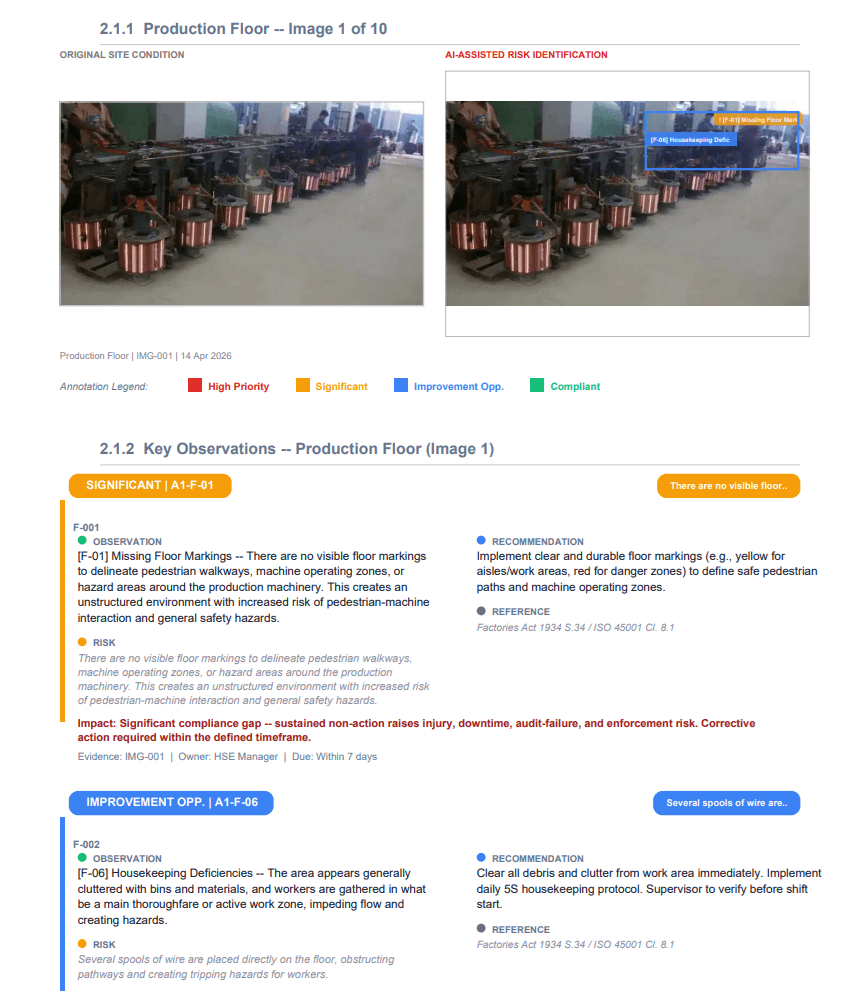
QHSE leads juggle quality, health, safety and environment across multiple sites — and most still run inspections on spreadsheets, clipboards or a generic forms app. Choosing dedicated QHSE inspection software is one of the highest-leverage upgrades you can make. But the market is noisy, and a lot of tools that call themselves “QHSE software” are really just digital forms. Here’s what actually matters.
What QHSE inspection software should do
Digitizing your checklist is table stakes. Real QHSE inspection software should let you:
- Schedule and conduct inspections across all four pillars — quality, health, safety, environment
- Capture evidence (photos) at the point of inspection
- Surface non-conformances and rate their risk consistently
- Assign and track corrective actions (CAPA) to closure
- Produce audit-ready reports mapped to the standards you’re certified against — ISO 9001, ISO 14001, ISO 45001
If a tool stores your findings but leaves every judgement, write-up and follow-up to the inspector, you’ve bought a clipboard with a battery.
The features that matter — and the ones that don’t
Must-haves:
- Multi-standard mapping. Findings should cite the right clause of the right standard (9001 / 14001 / 45001 plus your sector rules), not generic “best practice”.
- Photo-based evidence — ideally with AI analysis. The camera should do part of the assessment, not just attach an image next to a checkbox.
- CAPA tracking to closure. Logging an issue is half the job; proving you fixed it is the other half.
- Offline capture. Plant rooms, basements and remote sites have no signal. The app has to work anyway.
- Role-based access and an audit trail — because you’ll be audited too.
- Fast reporting. Minutes after you leave site, not the evening after.
Don’t pay for: vanity dashboards you’ll never open, “AI” that’s really just autocomplete, or per-form pricing that punishes you for being thorough.
How to judge ROI before you buy
The math is simpler than vendors make it look. Take the hours each inspector spends per week writing up inspections, multiply by their loaded hourly rate, and multiply by headcount. If software halves write-up time, that number is your annual saving — before you count the avoided cost of a single missed non-conformance, failed audit or enforcement notice. For most teams the tool pays for itself on write-up time alone.
Where AI changes the equation
Traditional QHSE software still leaves all the thinking to the inspector. AI inspection software reads the photo, drafts the finding, rates the risk, writes the corrective action and cites the regulation — then hands it to the inspector to review and approve. The role shifts from author to editor: same rigour, far less desk time, and much more consistency between people and sites.
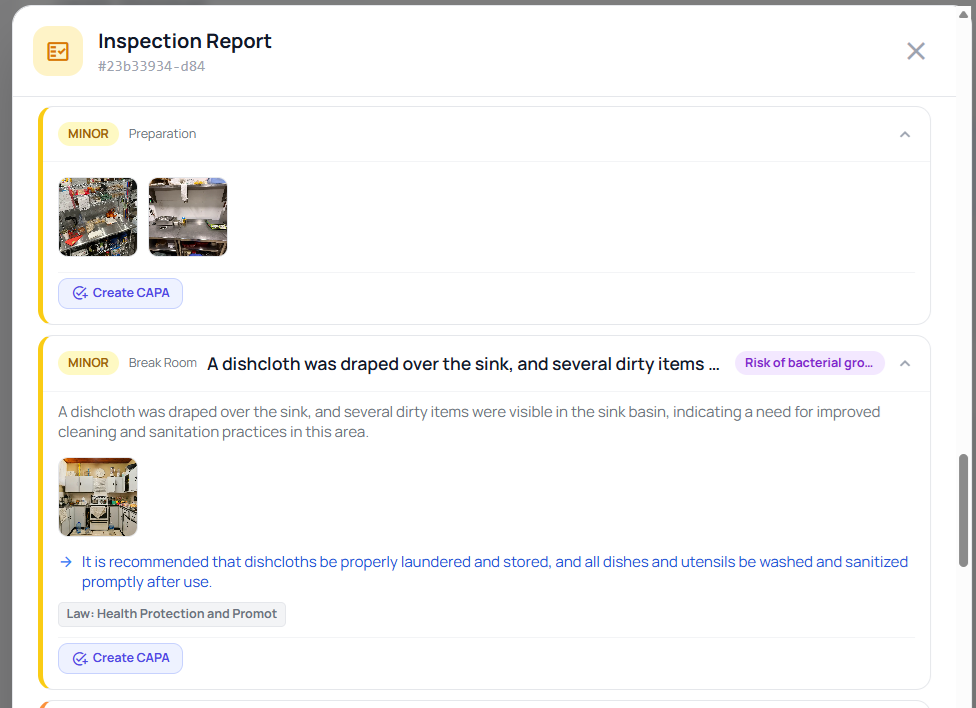
That’s the difference between software that makes your paperwork faster and software that makes the inspection faster. If you want the detail, our QHSE inspection software page breaks down exactly how it maps to 9001, 14001 and 45001.
See QHSE inspections run on AI — book a demo and bring photos of one of your own sites.